.avif)

The best AI tools for turning a document into a slide deck are Beautiful.ai, Gamma, Canva, and Copilot in PowerPoint. All four generate slides from text. Beautiful.ai stands out when the deck has to look professionally designed without design work on your part, because Smart Slides format every slide automatically and keep the whole presentation on brand.
Turning text into slides used to mean hours of copying, pasting, formatting, and redesigning content to actually look good on screen. AI has collapsed that into a few short steps. Here is the full process, plus a fair look at how the major tools compare.
Why use AI to turn text into a presentation?
Traditional presentation building involves multiple steps:
- Outline your content
- Break it into slides
- Design each slide
- Adjust layouts and formatting
- Refine visuals and hierarchy
AI dramatically shortens this process by:
- Automatically structuring your content into slides
- Suggesting logical flow and slide titles
- Generating layouts that fit your content
- Designing slides professionally without manual formatting
Instead of spending hours designing, you focus on your message.
Step-by-step: How to convert text to a presentation using AI
Step 1: Start with your text
Your starting point can be:
- A blog post
- Meeting notes
- A project brief
- A business proposal
- A research summary
- Even rough bullet points
AI tools work best when your text is reasonably organized, but it doesn’t need to be perfect.
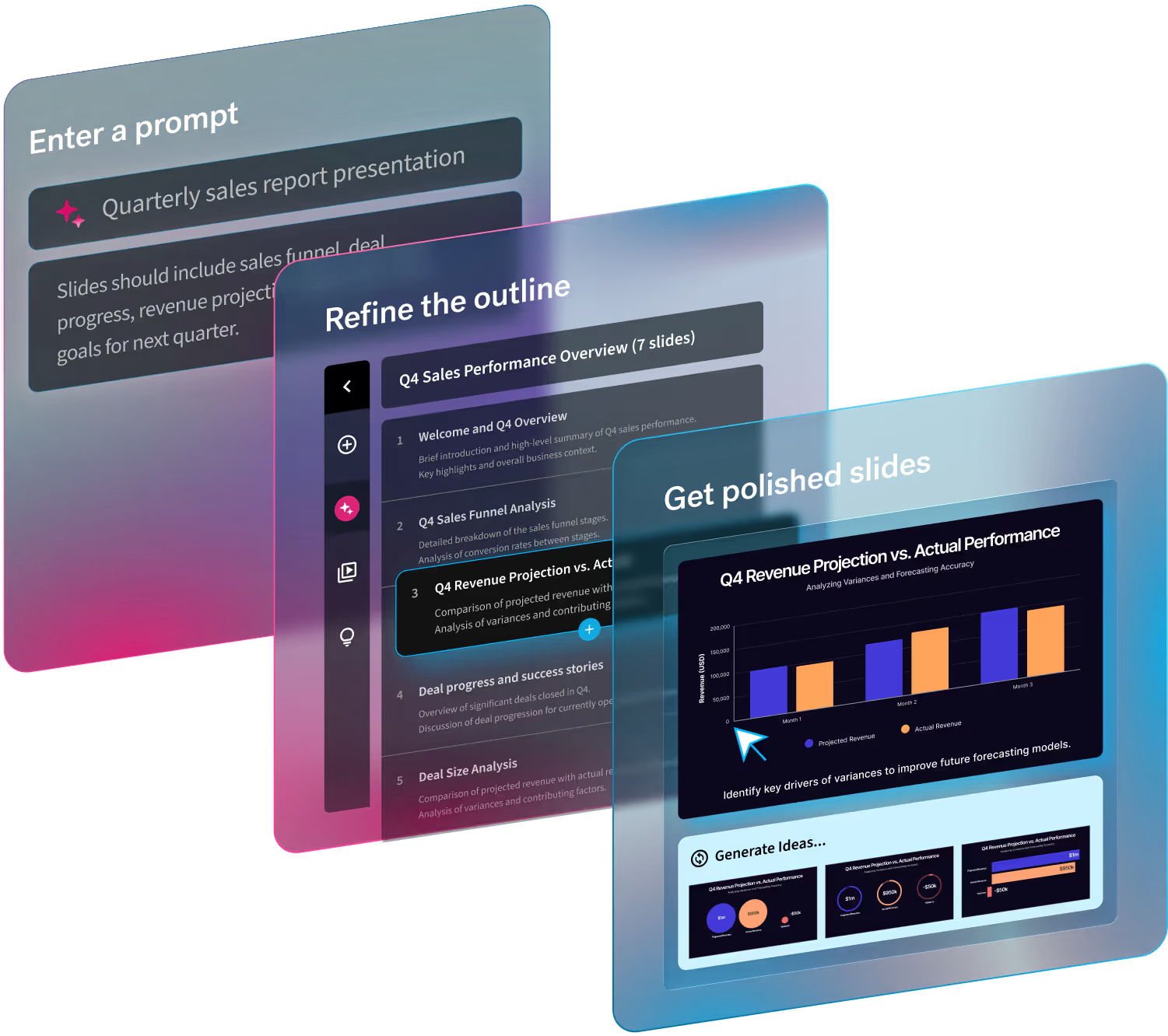
Step 2: Paste or upload your content into an AI presentation tool
Modern AI presentation tools like Beautiful.ai allow you to:
- Paste text directly into the platform
- Upload a document
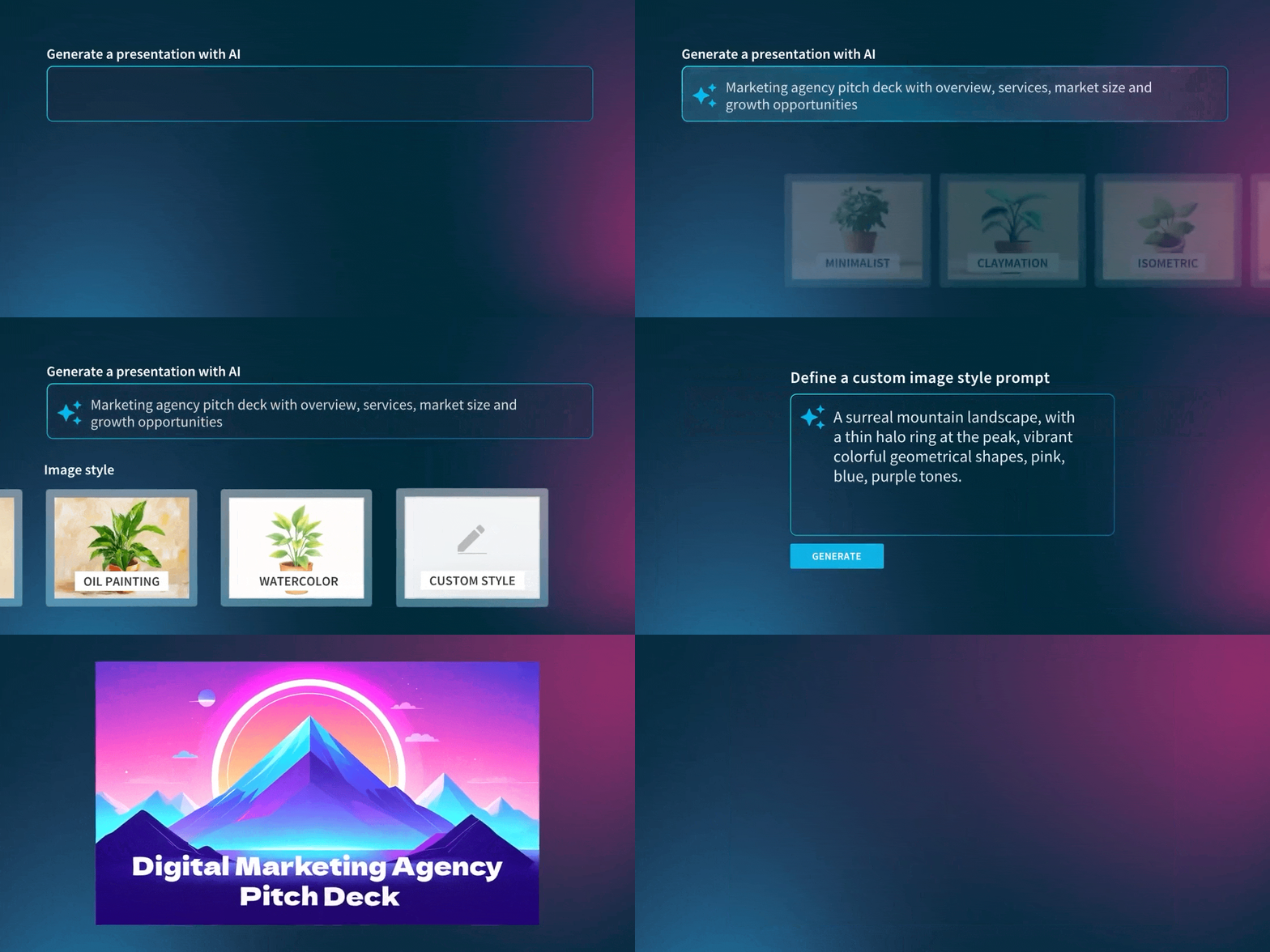
- Enter a prompt describing what you want
The AI then analyzes your content and automatically:
- Identifies key themes
- Breaks content into logical slides
- Creates headlines and supporting bullet points
Step 3: Let AI structure and design the slides
This is where Beautiful.ai stand out.
Rather than dropping your text into static layouts, Beautiful.ai flows it into Smart Slides, templates that automatically adapt to your content as it changes.
As your text flows into each slide, the platform:
- Adjusts layout and spacing
- Maintains visual hierarchy
- Applies consistent branding
- Keeps slides clean and presentation-ready
You don’t need to resize text boxes, align elements, or tweak formatting. The design happens automatically.
Step 4: Refine and customize
AI gives you a strong first draft, but you remain in control.
After your slides are generated, you can:
- Edit headlines and content
- Rearrange slides
- Add images, charts, or data visualizations
- Apply your company’s branding
- Adjust tone for your audience
Instead of building from scratch, you’re refining a polished starting point.
What makes Beautiful.ai different?
Many AI tools can generate content. Fewer can generate great presentations.
Beautiful.ai combines AI-powered content generation with smart slide design automation. That means:
1. Intelligent layouts
Slides automatically adapt as you add or remove content—no broken formatting.
2. Built-in design best practices
Every slide follows presentation design principles like:
- Clear hierarchy
- Balanced spacing
- Strong visual alignment
3. Consistent branding
Teams can apply brand templates so every presentation looks cohesive and professional.
4. Faster workflow
What used to take hours can now take minutes:
- Paste your text
- Generate slides
- Polish and present
Which AI tool is best for converting a document to a slide deck?
It depends on where the deck has to live and how polished it needs to be.
Copilot in PowerPoint drafts slides from a Word document and keeps you inside Microsoft 365, which matters if your company standardizes on PowerPoint. Plan on cleanup time, since layout and visual polish are still largely manual.
Gamma generates decks quickly from a prompt or pasted text and suits casual, web-style presentations.
Canva also generates slides from text and pairs them with a large creative asset library, a good fit for marketing-flavored decks.
Beautiful.ai is the strongest choice when the output needs to look boardroom-ready without a designer involved. It generates slides from your pasted text or uploaded document, Smart Slides adapt each layout automatically as you edit, brand templates keep team decks consistent, and you can export to PowerPoint when stakeholders expect a .pptx.
When should you use AI to convert text to slides?
AI presentation tools are especially useful for:
- Sales decks
- Investor presentations
- Marketing plans
- Internal reports
- Training materials
- Executive summaries
Any time you need to transform written information into something visual and compelling, AI can dramatically speed up the process.
Tips for better AI-generated presentations
To get the best results:
- Start with a strong prompt to accompany your extra context
- Keep paragraphs concise
- Use clear section headings in your source text
- Highlight key points you want emphasized
- Remove unnecessary filler
The clearer your input, the stronger the AI-generated structure.
Converting text into a presentation used to mean rebuilding everything by hand. With AI the working sequence is short: paste or upload your text, generate a structured draft, refine the message, and present. In Beautiful.ai that cycle takes minutes, and the finished deck exports to PowerPoint if you need a .pptx at the end.
Formatting stops being the bottleneck. Your time goes to the ideas.