.gif)
.gif)

AI presentation tools have always promised speed. Type a prompt and instantly get a deck. But if you’ve ever tried to use those decks for real work, you know the tradeoff: fast to start doesn’t always mean fast to finish. The output often drifts from your original intent.
For most teams, the wow factor of AI wore off fast. The outputs weren’t quite usable, the story drifted, the details changed. You ended up with a deck you couldn't actually use.
That’s why we’re introducing the Create with AI Workflow—a major upgrade to AI presentation creation.
This isn’t a new product, it’s a better way to build. The Create with AI Workflow fully replaces our previous “Generate with AI” experience with a guided process that matches how professionals actually create presentations.
The result is work-ready decks, higher-quality design, and far less rework.
Beautiful.ai’s Create with AI Workflow
Introducing AI that (finally) creates what you asked for.
Today, we’re sharing a major step forward in AI presentation creation.
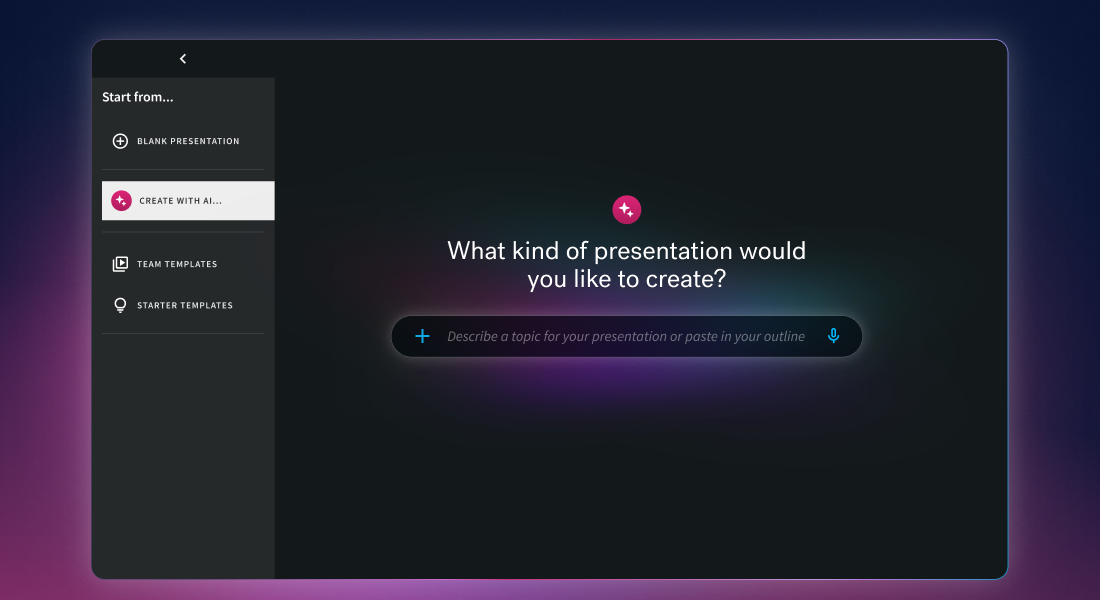
This isn’t AI that just generates a presentation based loosely on a prompt. It’s AI that helps you create one, all while staying true to your context, your intent, your asks.
Here’s what AI creation now means with Beautiful.ai:
- AI that’s faster, smarter, and more flexible
- Slides that reflect what you actually asked for
- The ability to shape the story in stages
- Instant visual ideation and design iteration
- More options, more control, better results
- Getting to work-ready presentations faster than ever
The goal is simple. Beautiful.ai now gets closer to what you envisioned in your head, the first time. Get to polished slides faster, with the right text, layouts, and full visual control.
We’re introducing a new bar for what AI presentation creation should feel like.
Start with whatever you already have
Professionals don’t start from nothing. They start from an idea—a doc, a script, a rough outline, a ChatGPT draft, a set of instructions they’ve already refined.
Create with AI Workflow meets you there.
You can begin however you typically like to use AI; with a short prompt or topic, a long, slide-by-slide prompt with detailed instructions, a pasted outline (even one drafted elsewhere), or a document or supporting file for deeper context. Beautiful.ai preserves your input and uses it as the foundation for every step that follows.
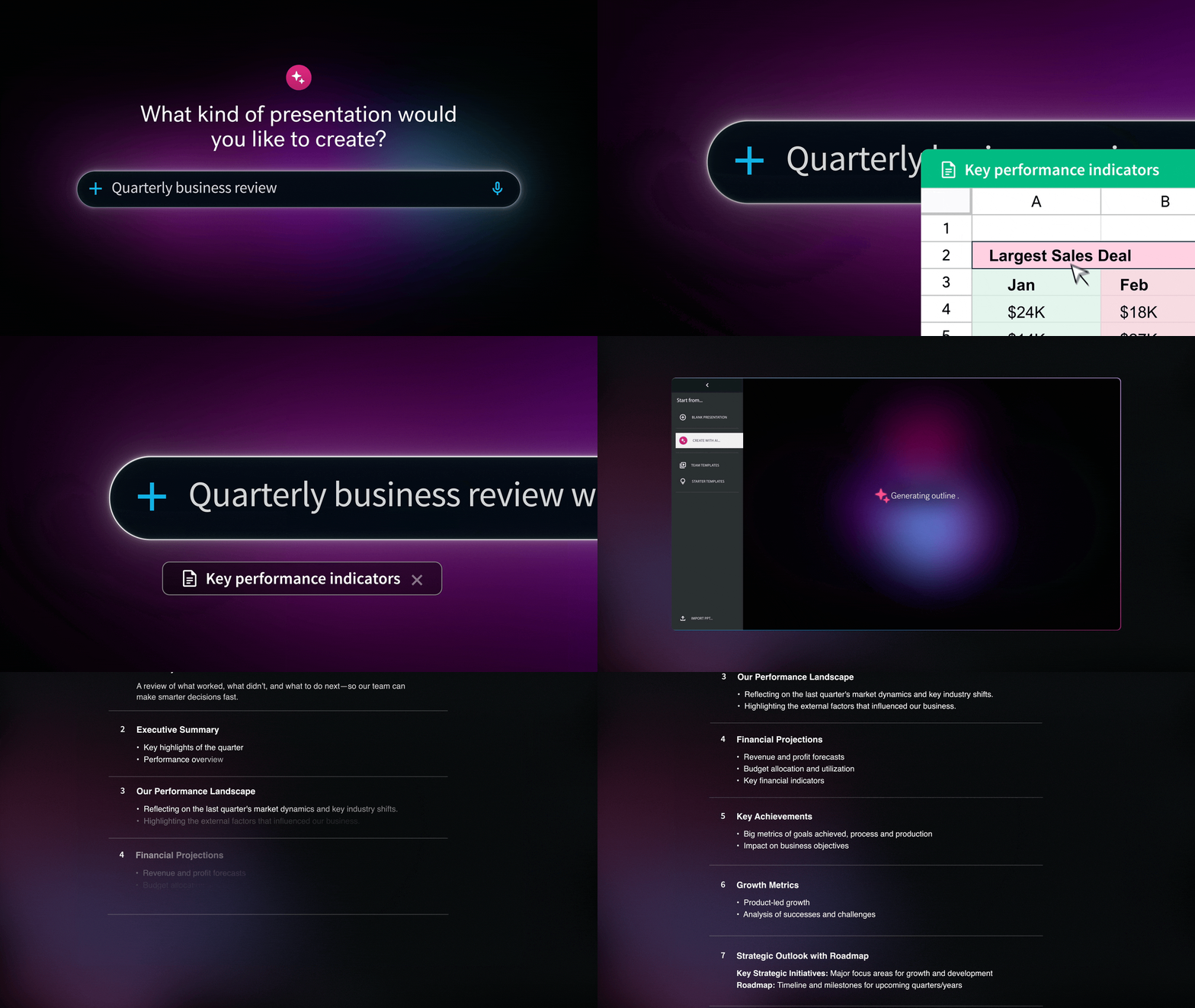
Outline-first drafting: shape the story before design locks in
Instead of jumping straight to a polished presentation, Create with AI Workflow generates a low-fidelity, slide-by-slide outline first.
This is where the story comes together—and where you get control early.
A chat layer attached to the outline stage enables fast, high-leverage changes without rewriting everything manually. With this update you can edit slide titles and copy, reorder, remove, or add slides, use AI chat to split dense slides, adjust tone, or improve flow, and make broader changes without rewriting everything manually.
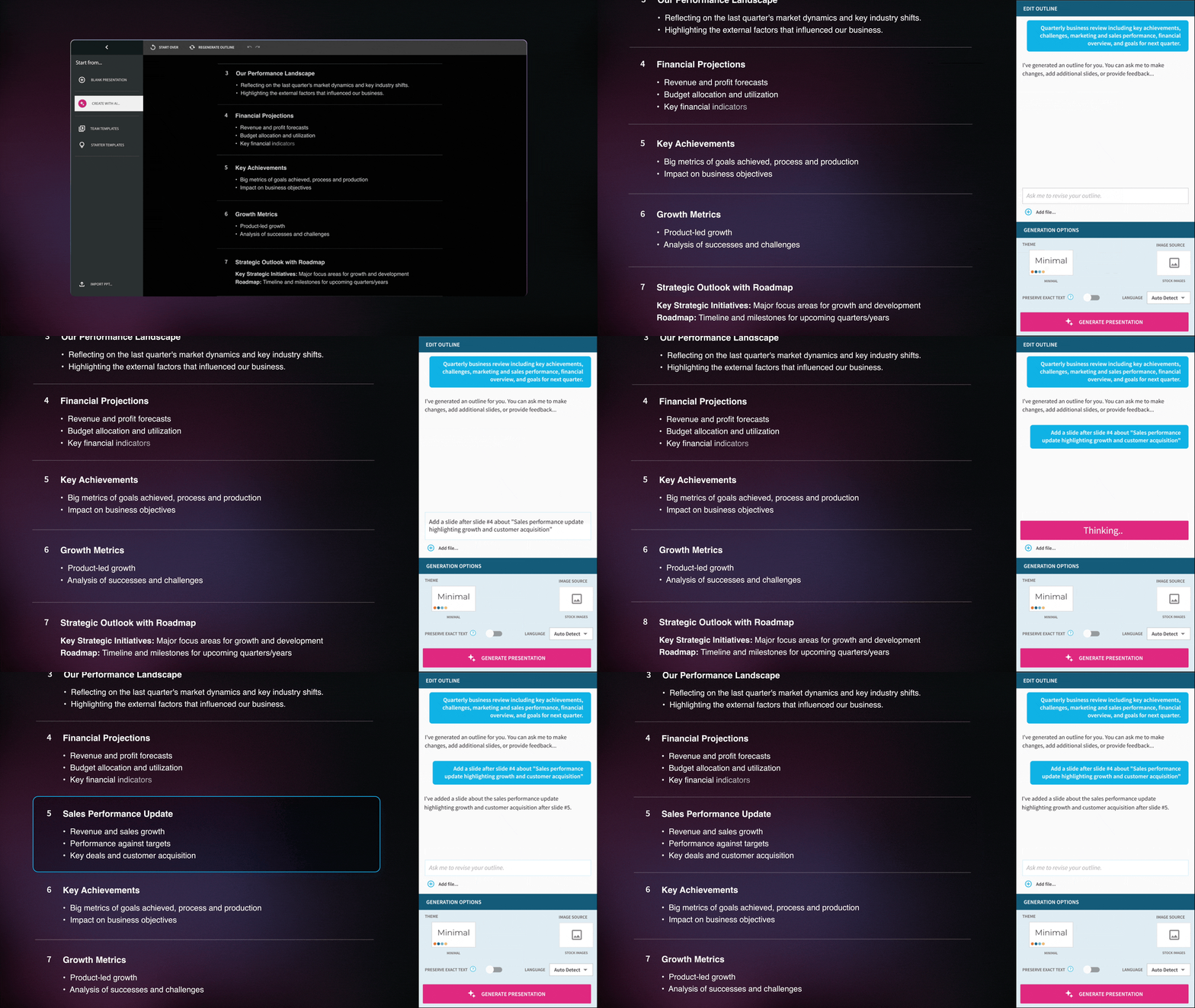
By validating structure up front, you avoid the most frustrating part of one-shot AI, realizing too late that the story isn’t quite right.
Set the look up front
Design shouldn’t be an afterthought with AI. Once the outline is right, you can define your visual direction before slides are generated:
- Choose a theme (including Team or bespoke themes)
- Select how images are sourced (AI, web, stock, or none)
- Set presentation language
- Define a consistent AI image style for cohesive visuals
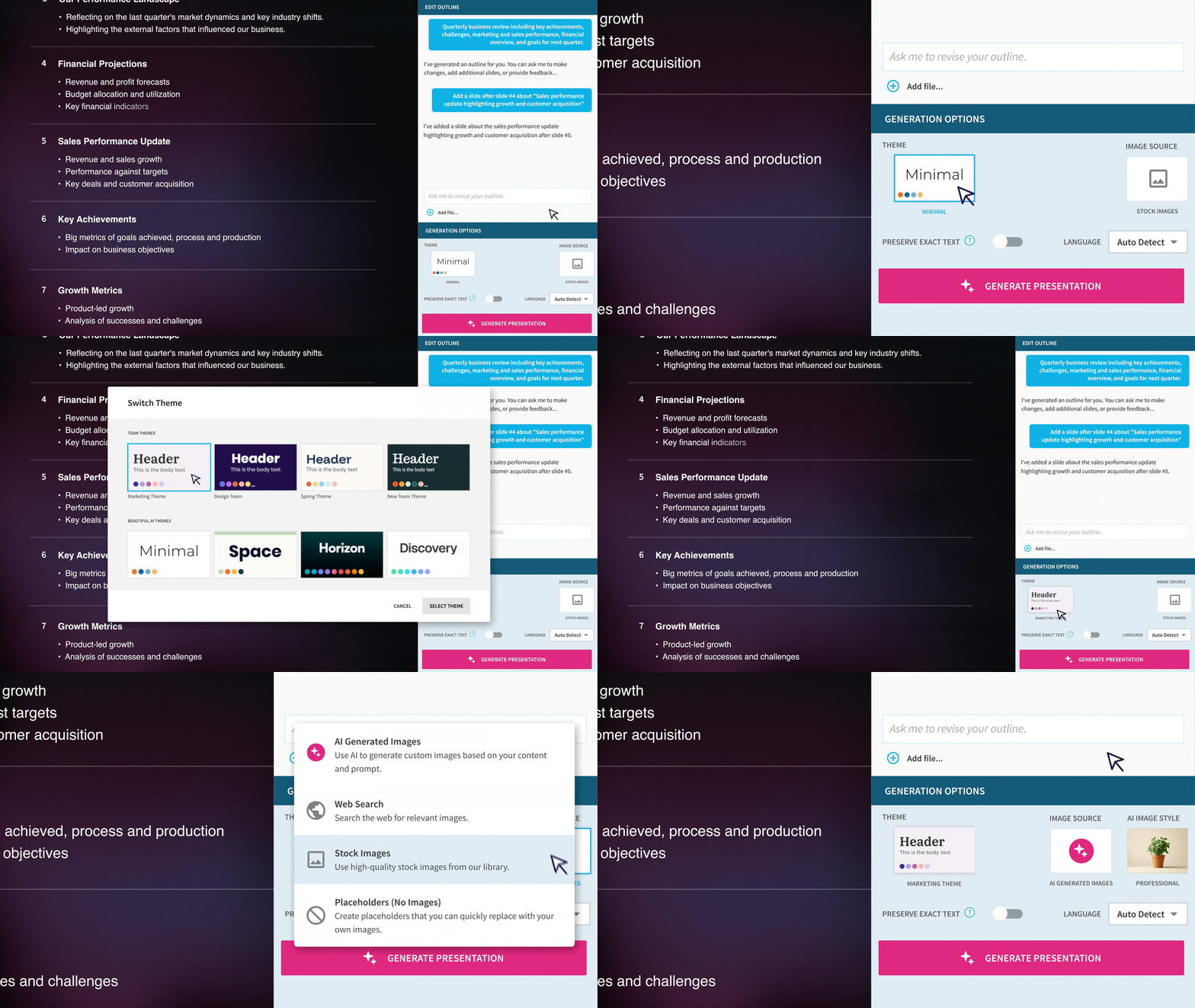
That means your deck starts, and stays, consistent.
Generate polished slides—then iterate fast
After your outline is ready, generate fully designed slides directly in the editor.
This is where Beautiful.ai’s value really shines. Smart Slides handle the design system for you, so you can explore options without breaking formatting.
For every slide, you can preview multiple Smart Slide layout options, switch layouts in one click, and compare structures visually and choose the clearest one.
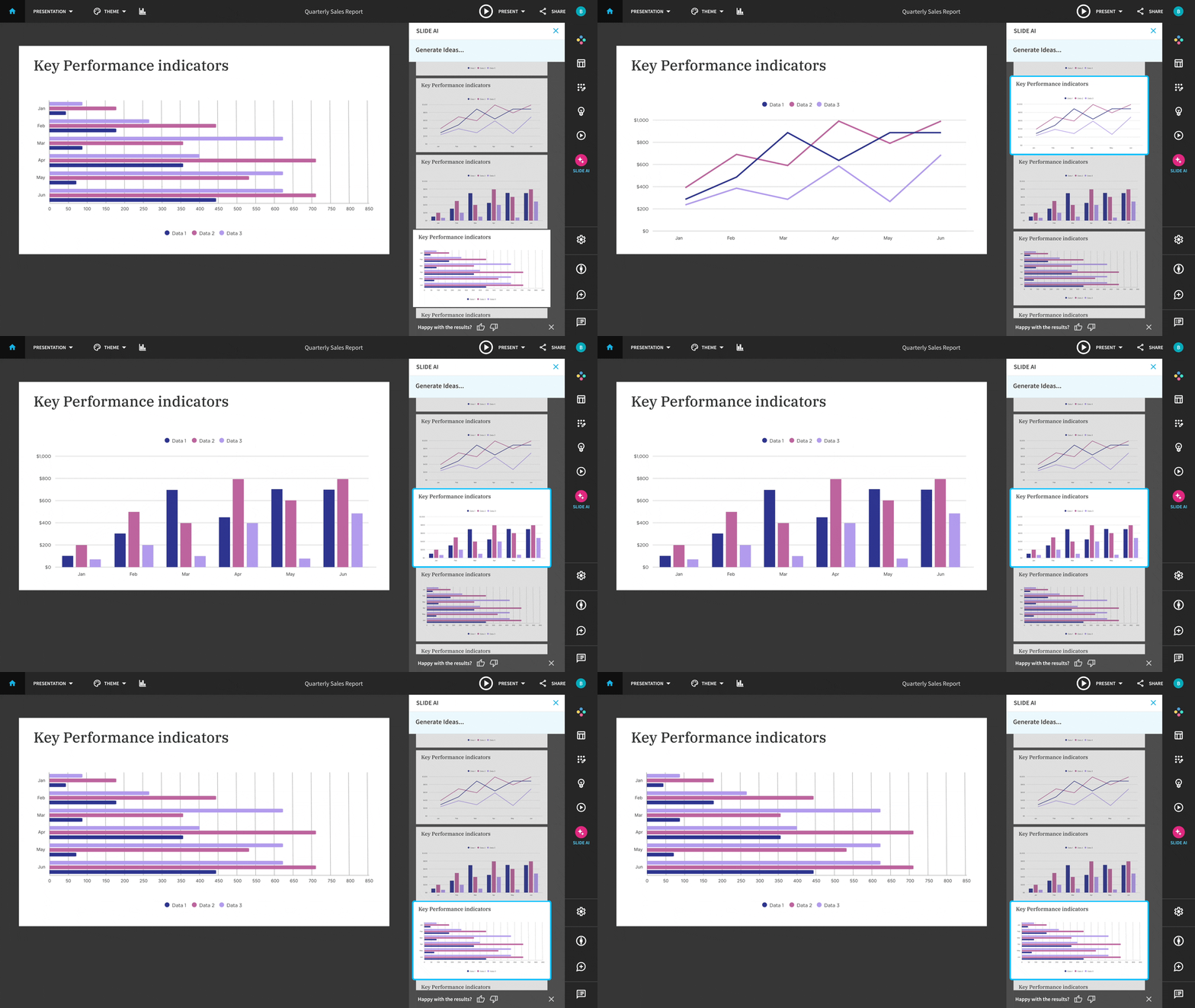
Our Smart Slides maintain consistent design rules across each slide which means no reformatting, and no design clean up after the fact. Just fast and focused confident iteration.
Slide-level AI, with prompt transparency and control
This is the biggest shift: iteration happens at the slide level, not the deck level.
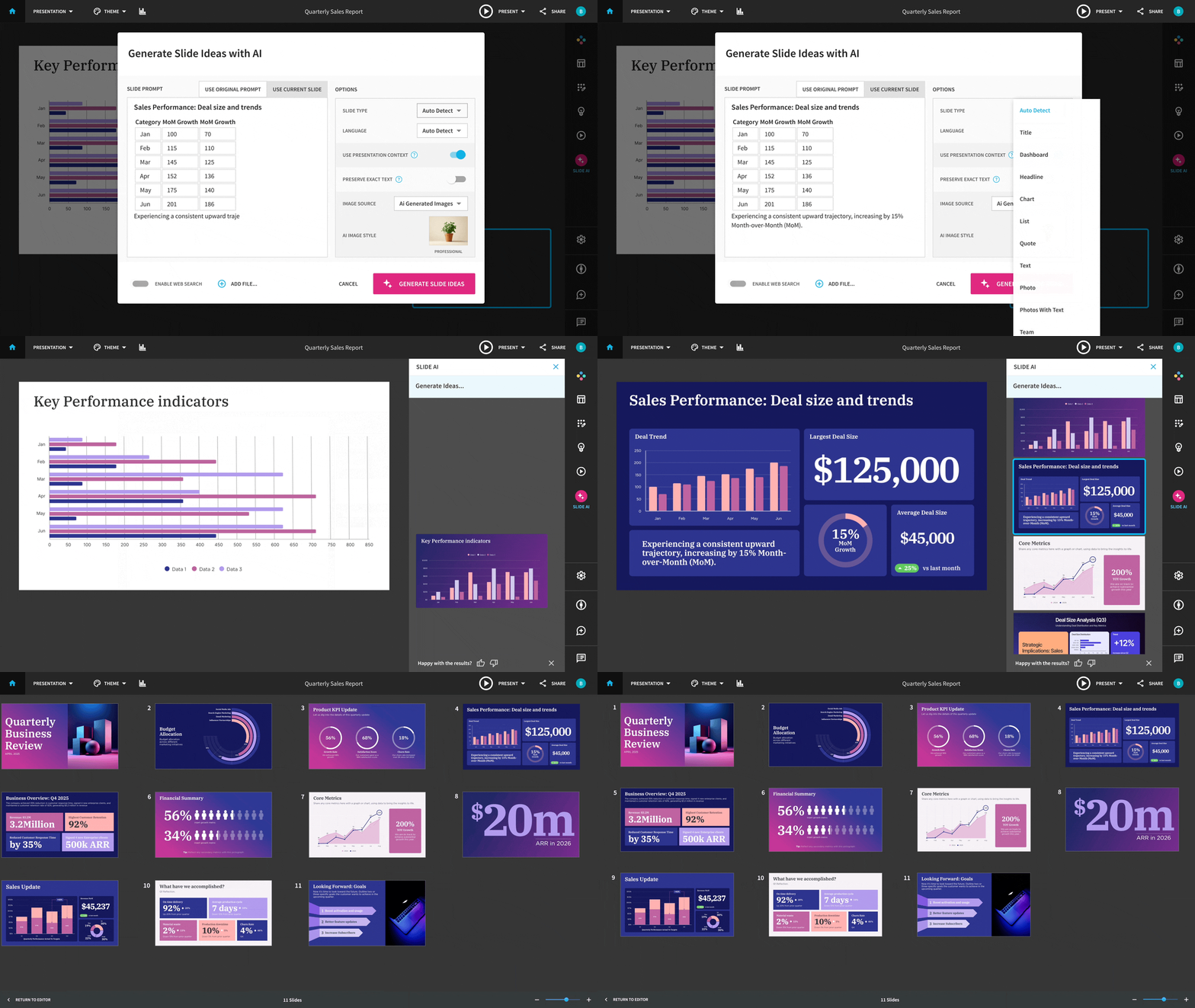
A slide-level AI panel allows users to generate alternative versions of a slide without restarting the deck. Users can see the slide prompt, edit it, and generate new slide ideas for that specific slide. This unlocks a more seamless way to generate and compare multiple options, preserve exact text when rewriting isn’t desired, regenerate images independently if visuals need a new direction, and even attach a file to ground a slide in real content.
The Create with AI Workflow is built for professionals, not novelty demos
AI is everywhere now. What matters isn’t whether a tool can generate a deck—it’s whether it can help you get to credible, work-ready output quickly, without compromising creative control.
Beautiful.ai’s Create with AI Workflow is designed for the way professionals actually work:
- Draft in stages
- Refine before committing
- Iterate locally, not destructively
- Keep context intact
- Stay in one tool from idea to final slide
It’s a collaborative process from beginning to end. AI handles the heavy lifting, while Smart Slides handle the design. But you stay in control every step of the way.
Try the new Create with AI workflow today.




.gif)
.avif)